How I Keep My Browser Bookmarks From Becoming a Mess

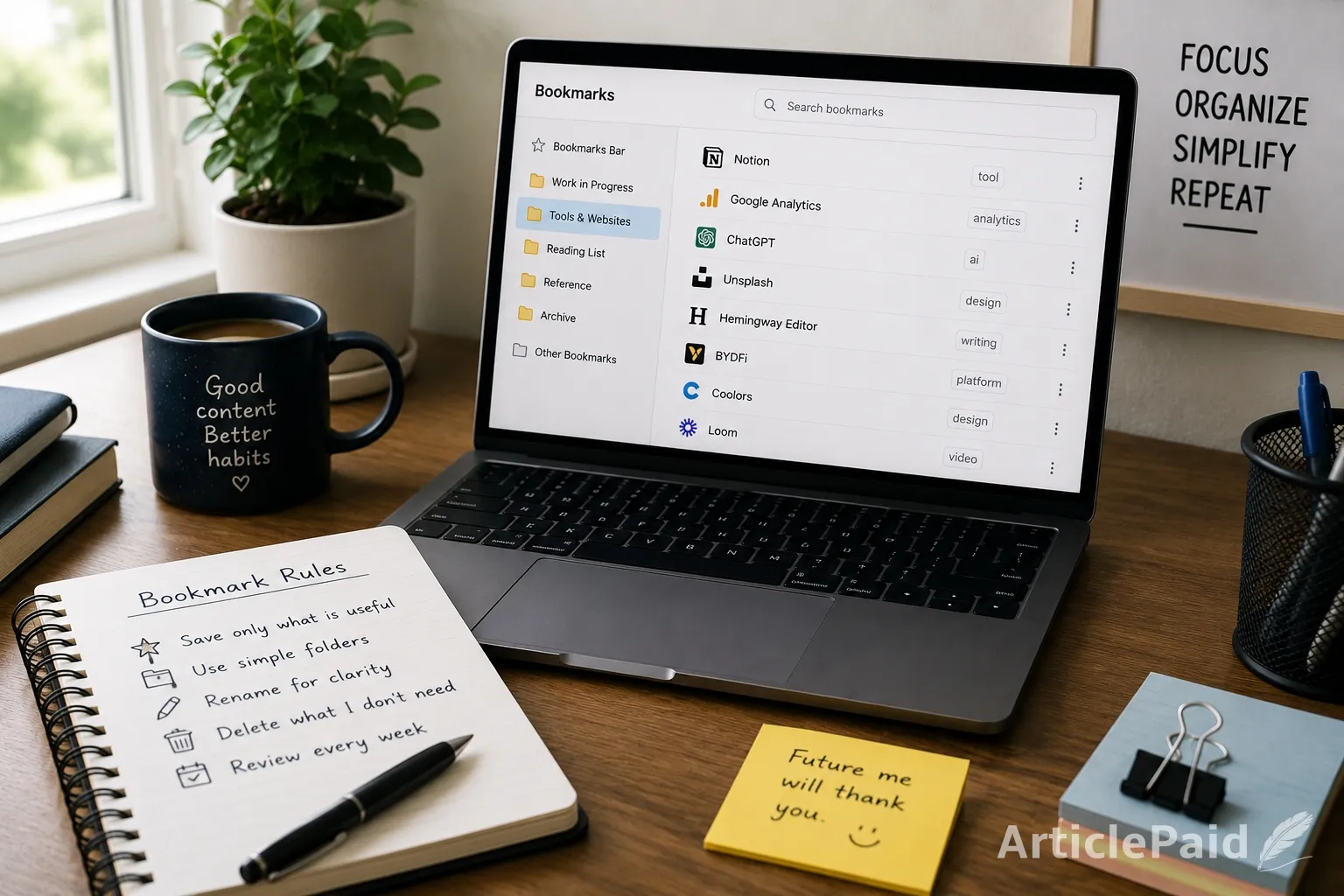
I used to treat browser bookmarks like a storage box.
If something looked even slightly useful, I saved it. Articles, tools, guides, random websites, pages I wanted to read later, and things I thought I might need for work someday.
The problem was that I almost never cleaned any of it up.
After a while, my bookmarks stopped being useful. I had folders with names that no longer made sense, links to pages I could not remember saving, and several versions of basically the same website.
So I changed the way I use bookmarks.
Nothing complicated. I just became a little more selective about what stays there.
I Don’t Bookmark Everything Anymore
This was probably the biggest improvement.
I used to think, “I might need this later,” and that was enough reason to save something.
Now I try to be a little stricter.
If I finish reading an article and cannot think of a realistic reason I would open it again, I do not bookmark it. The same goes for tools that look interesting but do not solve anything I currently need.
It sounds obvious, but it cuts out a lot of clutter.
I still save things impulsively sometimes. The difference is that I no longer assume every saved link deserves to stay forever.
I Keep the Folder System Very Simple
I tried creating detailed folders before, and it actually made things worse.
I had separate folders for writing, research, marketing, design, work tools, websites, references, ideas, and several categories I eventually forgot about.
The more folders I created, the more time I spent deciding where a link should go.
Now I use only a few broad ones.
I have a folder for things I am using right now, another for useful tools, one for reading, and one general reference folder.
That is usually enough.
My tools folder is a mixture of completely different websites. It might contain an image editor, a writing tool, an analytics site, or a work-related platform like BYDFi. They do not need to be closely related. I just need to remember that they are sites I may want to return to.
That works better for me than trying to create a perfect category for everything.
I Rename Bookmarks When the Original Title Is Useless
Some websites have very long page titles.
Others have titles so vague that six months later I have no idea what the bookmark is supposed to be.
So I rename them.
I do not try to make the names look professional. I make them useful to me.
Instead of keeping something like:
“Complete Guide to Building a Better Digital Workflow in 2026”
I might rename it:
“Good workflow example”
Or:
“Check this when organizing research”
Sometimes the names are even more specific, like:
“Use for Friday report”
That probably looks messy to someone else, but I can immediately understand why I saved it.
That is the point.
I Have a Temporary Folder for Random Finds
This helped more than I expected.
Sometimes I am in the middle of working and find something I want to look at later. I do not want to stop what I am doing just to decide where it belongs.
So I have one temporary folder.
Anything uncertain goes there.
Then, every few days, I look through it.
Some links get moved into proper folders. Some get deleted. A surprising number of them no longer look important after a few days.
This keeps the rest of my bookmarks cleaner without forcing me to organize everything immediately.
I Delete More Than I Save
I used to be strangely reluctant to delete bookmarks.
I think part of me assumed that deleting a link meant losing something valuable.
In reality, most of those pages were easy to find again.
If I have not opened a bookmarked page in a year and I cannot remember why I saved it, I probably do not need it.
So I delete old links pretty aggressively now.
I also remove duplicates whenever I notice them.
There is no reason to keep three different bookmarks leading to the same homepage just because I saved them at different times.
I Do a Quick Cleanup Every Week or Two
I do not have a strict schedule for this.
Usually I notice my temporary folder getting full or my bookmarks bar looking messy, and that is enough to remind me.
The cleanup normally takes less than ten minutes.
I open the recent bookmarks, check whether they are still useful, move a few of them, and delete the rest.
I also use that time to close old browser tabs.
Tabs are probably my other bad habit.
Sometimes I leave a page open because I think keeping it visible will remind me to use it. Then it stays there for a week.
Now, if a tab has been open for too long, I make a decision: bookmark it or close it.
Most of the time, I close it.
I Don’t Try to Make the System Perfect
This is probably the most important part.
Every time I tried to build a very organized bookmark system, I eventually stopped maintaining it.
It became too much work.
The system I use now is not especially neat. Some folders are still a little random. I occasionally save something twice. There are probably a few old links hiding in there that I should delete.
But I can usually find what I need.
That is enough.
For me, bookmarks are supposed to save time, not become another project to manage.
Once I stopped trying to organize everything perfectly, they actually became useful again.









Responses (0)