
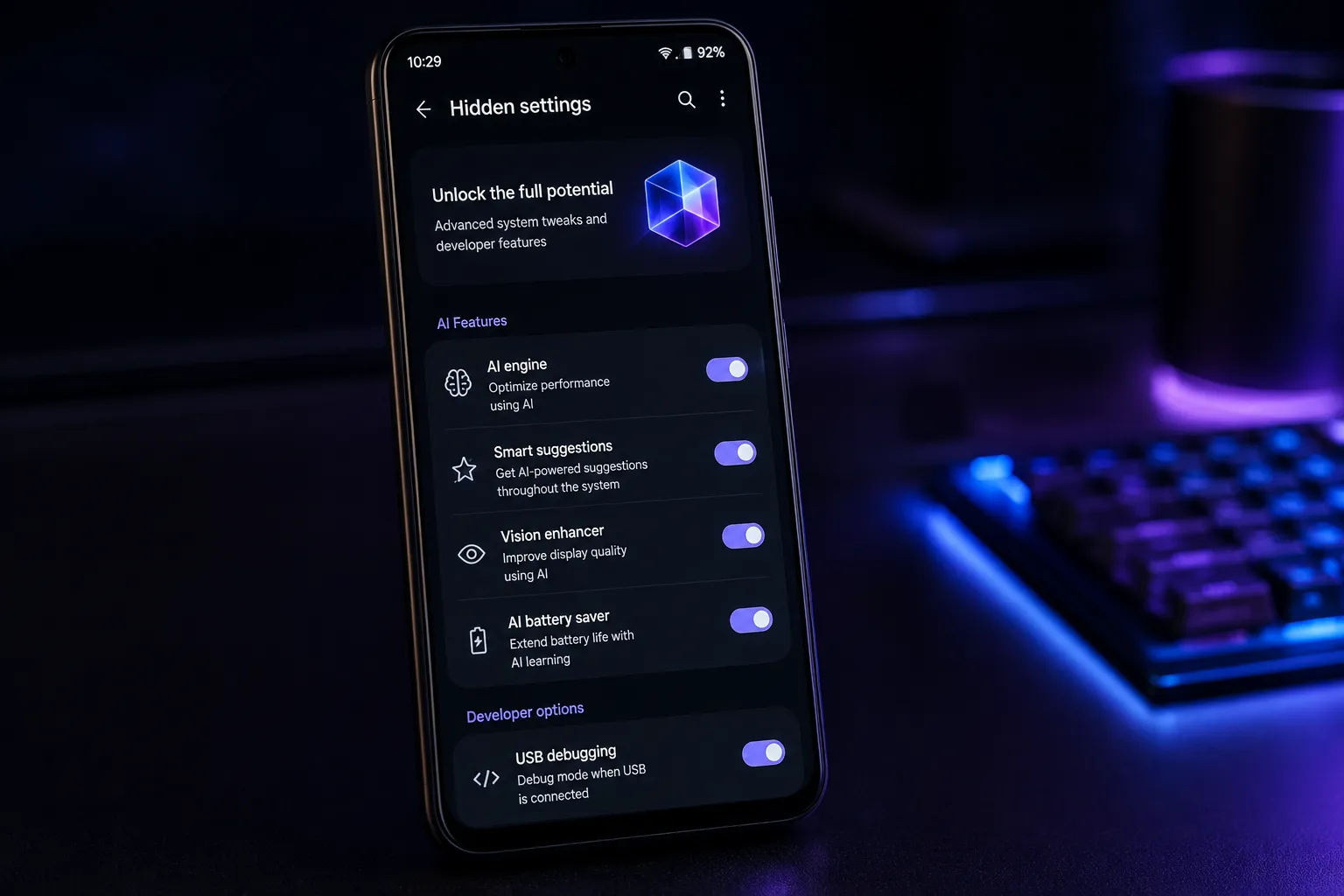
Android has always been known for its flexibility, but by 2026 it has evolved into something much more intelligent than a traditional mobile operating system. While most people use Android for messaging, social media, photography, and web browsing, many of its most useful capabilities remain hidden behind menus, settings, or AI-powered automation that users rarely explore.
Modern Android devices now combine artificial intelligence, enhanced privacy protections, battery optimization, productivity shortcuts, and deep customization options that can dramatically improve the everyday experience. The surprising part is that many of these features require little or no technical knowledge—they simply need to be discovered.
Whether you own a flagship phone or a mid-range Android device running a recent version of Android, chances are you already have access to tools that save time, extend battery life, protect your personal information, and make your phone feel more personal than ever.
AI assistant that understands your screen
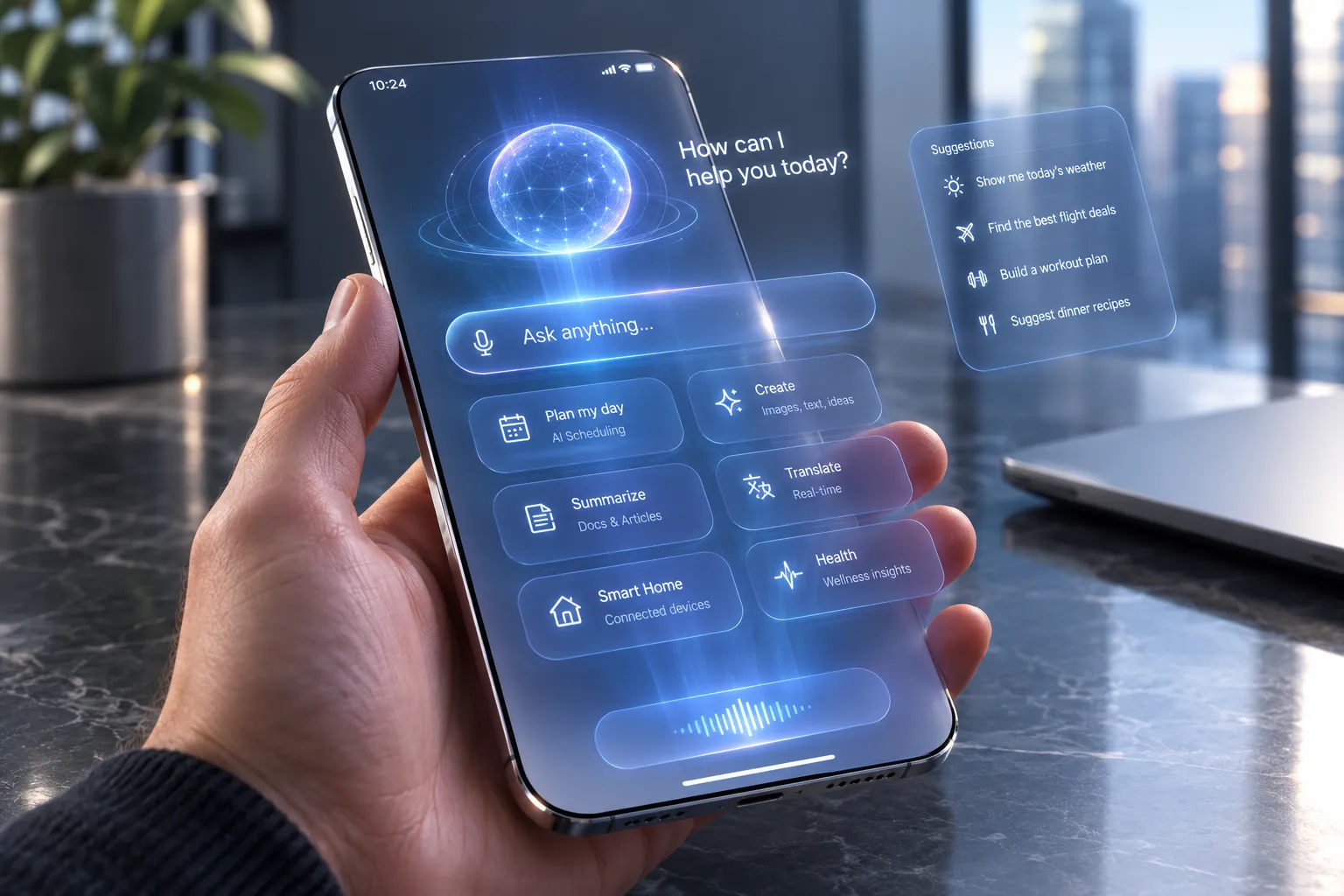
One of the biggest improvements in Android during 2026 is the smarter on-device AI assistant. Instead of waiting for voice commands, the assistant can understand what's happening on your screen and offer useful actions without requiring you to switch between apps.
Imagine you're reading an email that mentions a restaurant. Rather than copying the address manually, Android can recognize it and immediately suggest opening Maps, checking reviews, or adding the reservation to your calendar.
If someone sends flight details in a messaging app, the AI can identify the airline, departure time, and booking number, then offer to create reminders, monitor delays, or save the information inside your wallet.
Students benefit as well. When reading a long PDF, Android can summarize the document, explain difficult concepts, or answer questions based on the page currently displayed.
Travelers can point the camera at signs in another language and receive instant translations that remain visible directly on the image instead of appearing separately.
Because much of this processing now happens directly on the device, responses are faster while reducing the amount of personal information sent to cloud servers.
Privacy dashboard with real-time protection
Privacy has become one of Android's strongest areas, and many users still overlook the advanced controls available inside the Privacy Dashboard.
Instead of only showing which permissions an app has requested, Android now displays how frequently apps access sensitive information like your location, microphone, camera, contacts, clipboard, and photos.
For example, you may discover that a weather application requests your precise location dozens of times every day even when you're not actively using it. With just a few taps, you can limit access to only while the app is open or provide an approximate location instead.
Android also includes temporary permissions that automatically expire after a certain period. If you grant camera access to an app today, the permission can disappear automatically after several hours or days.
Another useful feature is automatic permission reset. If an application hasn't been opened for several months, Android quietly removes its sensitive permissions until you use it again.
Privacy notifications have become much more detailed as well. If an application unexpectedly activates your microphone or camera, Android immediately displays a clear indicator and lets you investigate why it happened.
These small improvements help users understand how their data is being used without requiring advanced technical knowledge.
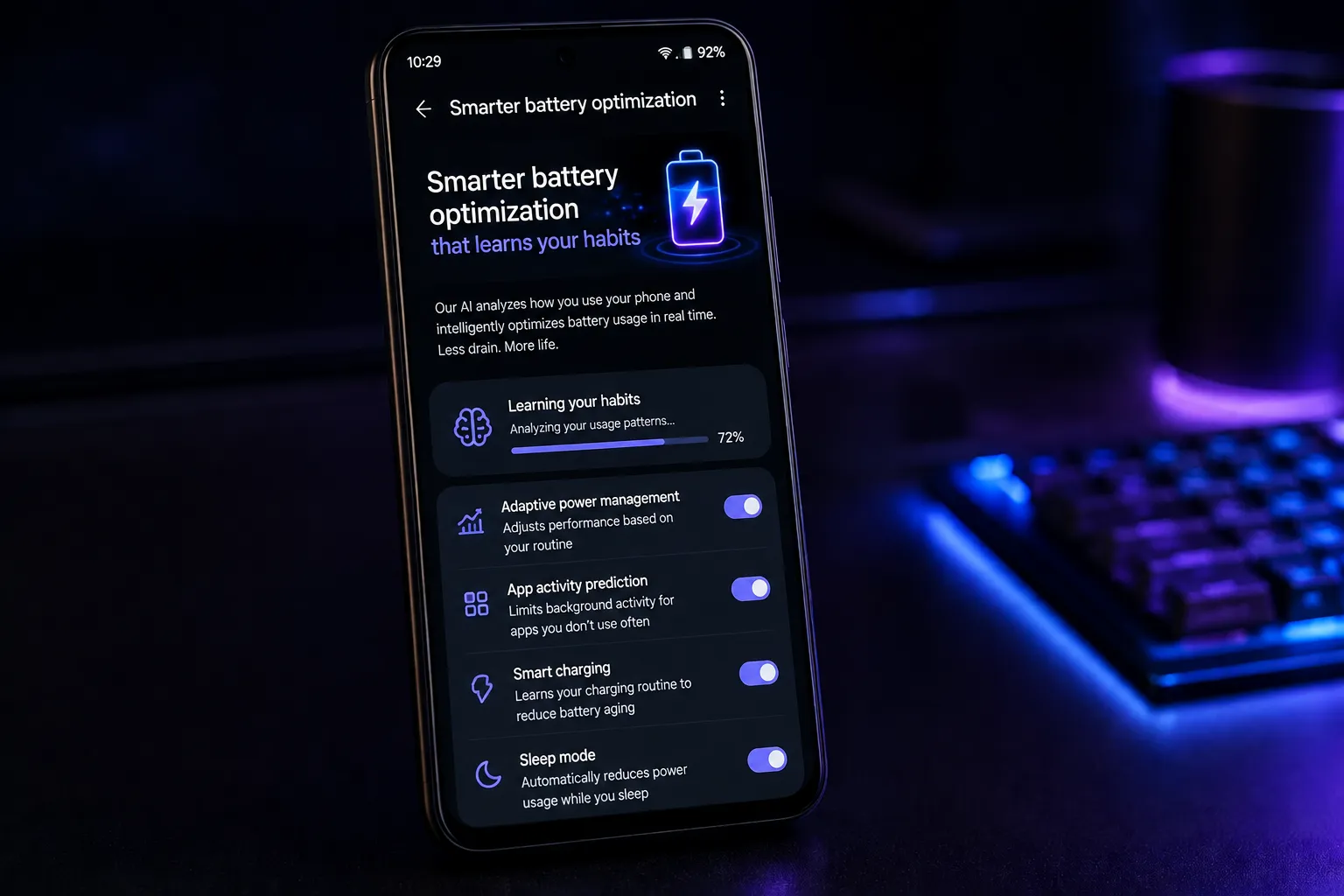
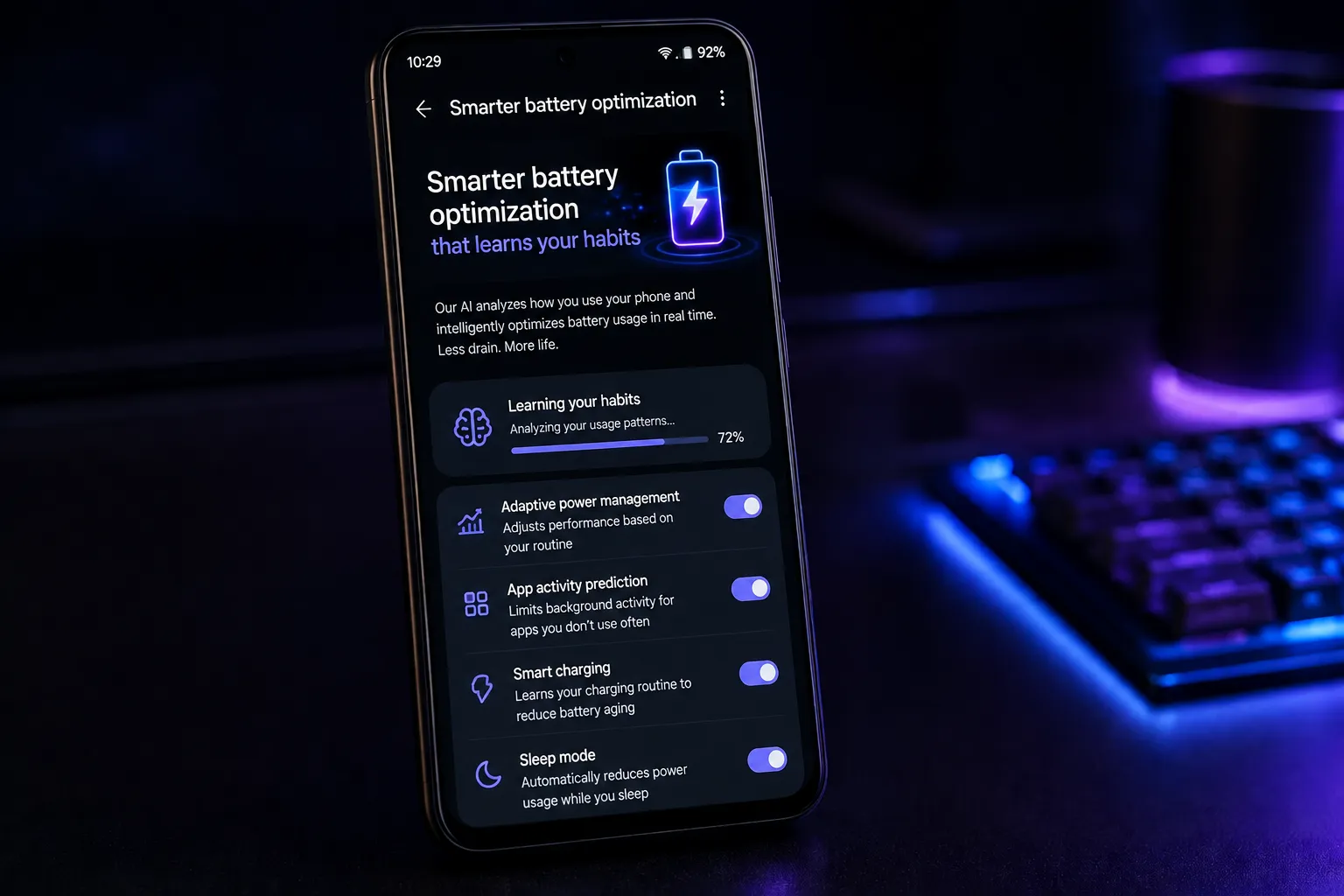
Smarter battery optimization that learns your habits
Battery management has become significantly more intelligent in 2026.
Rather than applying identical power-saving rules to every application, Android studies your daily routines and predicts when you'll need maximum performance versus maximum battery life.
Suppose you leave home every weekday at 8:00 a.m. Android may recognize this pattern after several weeks. Before you leave, it ensures navigation apps, music streaming, and messaging services are fully optimized for performance.
Later in the evening, when your phone usually remains idle, Android automatically limits background activity for applications you rarely open.
Charging has also improved considerably.
Instead of immediately charging to 100%, Android analyzes your schedule. If you typically unplug your phone at 7:00 a.m., it may charge to around 80%, pause overnight, then finish charging shortly before your alarm goes off.
This reduces battery wear and helps extend the lifespan of modern lithium-ion batteries.
There's also an AI Battery Insights page that identifies unusually power-hungry apps and explains exactly why they're consuming energy.
Instead of simply reporting that an app used 20% of your battery, Android might explain that it performed hundreds of background location checks or continuously refreshed content throughout the day.
These explanations make battery optimization much easier for everyday users.
Hidden productivity shortcuts that save time every day
Many Android users rely on basic gestures, but newer versions include powerful productivity features that often go unnoticed.
Split-screen multitasking has become smarter by remembering your favorite app combinations.
For example, if you frequently open a note-taking app alongside your web browser, Android can suggest launching both together with a single tap.
Floating windows have also improved.
Instead of constantly switching between messaging and work applications, you can keep conversations visible in a small movable window while editing documents underneath.
Another overlooked feature is intelligent clipboard history.
Rather than storing only your latest copied item, Android securely keeps multiple entries including text, images, addresses, and links.
Imagine researching a vacation. You can copy hotel names, restaurant addresses, flight numbers, and booking confirmations throughout the day, then paste each item later without searching for them again.
The universal search function has also become far more powerful.
Instead of searching only installed apps, it can locate photos containing specific objects, documents mentioning certain words, calendar events, emails, downloaded files, settings, contacts, and even conversations.
Searching for "passport" might instantly display your passport photo, related travel documents, hotel reservations, and emails containing your booking confirmation.
Advanced customization beyond wallpapers and icons
Most people customize Android by changing wallpapers or installing icon packs, but the operating system offers far deeper personalization.
Dynamic themes now adapt not only to wallpaper colors but also to the time of day, lighting conditions, and usage patterns.
For instance, your interface might automatically become brighter while outdoors during daylight and switch to softer colors during the evening.
Lock screens are now much more interactive.
You can display customized widgets that show package deliveries, sports scores, weather updates, smart home controls, or live travel information without unlocking the phone.
App folders have become smarter too.
Instead of fixed groups, Android can automatically organize applications based on your habits.
During working hours, productivity tools appear first. On weekends, entertainment apps move closer to the front.
Notification styles are also customizable.
Some users prefer compact alerts, while others want detailed previews. Android allows separate notification behaviors for work, family, travel, gaming, and sleep modes.
Even charging animations, quick settings layouts, font styles, widget transparency, and lock screen shortcuts can now be adjusted with far greater flexibility than many users realize.
Offline AI features that work without an internet connection
One of Android's most impressive developments is the growing number of AI capabilities that function entirely offline.
This is especially useful while traveling, commuting, or working in areas with poor connectivity.
Offline transcription can convert recorded meetings into searchable text without uploading audio files.
Voice notes become easier to review because Android automatically separates speakers, generates summaries, and highlights important action items.
Image recognition also works offline.
Point your camera at plants, landmarks, products, or animals, and Android can identify them using downloaded AI models.
Offline writing assistance helps users rewrite emails, improve grammar, shorten messages, or change tone without requiring cloud processing.
Because these models run directly on supported devices, response times are much faster while providing greater privacy.
Hidden security tools that protect your phone automatically
Security improvements often receive less attention than flashy AI features, yet they may be even more valuable.
Android now includes automatic scam detection for calls and messages.
When suspicious behavior is detected, the system warns you before you share passwords, banking information, verification codes, or personal details.
Screen sharing protection has become smarter too.
If you're sharing your screen during a video call and a one-time password arrives, Android can automatically hide the notification from everyone else.
Sensitive documents can also be stored inside secure folders protected by separate authentication.
Even if someone unlocks your phone, they cannot access those files without additional verification.
Another useful feature automatically locks the device if it detects unusual movement after being snatched or if repeated authentication attempts fail.
Recovery options have become simpler as well, allowing users to locate, lock, or erase lost devices much more quickly.
Automation routines you probably haven't explored
Android includes increasingly capable automation features that eliminate repetitive tasks.
You can create routines triggered by location, time, connected devices, battery level, or even specific activities.
For example, when your phone connects to your car, Android can automatically launch navigation, start your favorite music playlist, silence unnecessary notifications, and read incoming messages aloud.
At bedtime, it can enable Do Not Disturb, reduce screen brightness, activate grayscale mode, lower media volume, and prepare your alarm for the following morning.
When arriving at work, your phone might automatically disable personal notifications, enable Wi-Fi, open your calendar, and activate work-focused settings.
Travel routines can automatically download offline maps, display boarding passes, convert currencies, and remind you about hotel reservations when arriving in another city.
Because these routines operate quietly in the background, they reduce the number of manual adjustments users perform every day.
Better digital wellbeing without feeling restrictive
Digital wellbeing tools have become much more intelligent than simple screen time counters.
Instead of merely reporting how long you've used an application, Android identifies patterns that may affect concentration or sleep.
For example, if you repeatedly unlock your phone every few minutes without completing meaningful tasks, Android may gently suggest activating Focus Mode.
The system can also recognize excessive late-night usage and recommend winding down based on your usual sleep schedule.
Parents benefit from more flexible family controls that adapt to children's routines instead of relying only on fixed daily limits.
AI-generated summaries allow users to review notifications in batches rather than being interrupted throughout the day.
This helps reduce distraction while ensuring important alerts remain visible.
These subtle improvements encourage healthier smartphone habits without making users feel constantly monitored.
Why these hidden features matter
The most valuable Android features in 2026 are not necessarily the ones showcased during product launches. Instead, they're the thoughtful tools working quietly in the background to simplify everyday life.
Artificial intelligence now helps users organize information, summarize documents, automate repetitive tasks, and understand what's happening on their screens. Privacy controls provide unprecedented transparency, allowing people to decide exactly how their personal data is shared. Smarter battery management extends device longevity, while customization options make every phone feel uniquely personal.
Productivity enhancements eliminate unnecessary taps, automation routines reduce repetitive work, and offline AI capabilities ensure many advanced features remain available even without an internet connection.
Most importantly, these improvements are designed to blend naturally into everyday use rather than requiring constant attention. Spending just a few minutes exploring Android's settings can reveal capabilities that save time, protect sensitive information, improve battery life, and create a smoother mobile experience.
For many users, the phone they're already carrying is far more capable than they realize. The hidden features built into Android in 2026 demonstrate that innovation is no longer limited to faster processors or larger displays—it now comes from software that quietly adapts to your habits, anticipates your needs, and helps you accomplish more with less effort.





















Responses (0)
Sign in to share your thoughts.
Sign in