

Artificial intelligence has become an everyday productivity partner rather than a niche technology. Whether you're creating content, designing graphics, writing code, analyzing data, editing videos, or organizing your work, there are now powerful AI tools available at no cost. The challenge isn't finding AI software anymore—it's knowing which free tools genuinely provide value without requiring an expensive subscription after just a few uses.
August 2026 has brought another wave of improvements across the AI landscape. Large language models are more capable, image generation is more realistic, AI-powered research has become faster, and specialized tools now solve tasks that previously required multiple applications. Many of these platforms offer generous free plans, making advanced AI accessible to students, freelancers, marketers, developers, entrepreneurs, and small businesses.
This guide highlights the best free AI tools you should try in August 2026. Each recommendation has been selected based on usefulness, reliability, feature availability in the free tier, and real-world applications. You'll also discover who each tool is best suited for, its standout features, and practical ways to integrate it into your daily workflow.
ChatGPT – The Most Versatile AI Assistant
ChatGPT continues to be one of the most useful free AI tools available. It combines conversational intelligence with reasoning, writing, brainstorming, coding assistance, document analysis, and research support in one platform.
The free version is powerful enough for most everyday tasks and continues to receive improvements throughout 2026. Users can generate articles, summarize documents, explain complex concepts, create study plans, draft emails, write code, translate languages, and brainstorm creative ideas.
Key Features
- Natural conversations
- Writing assistance
- Coding support
- Research help
- Image understanding
- File analysis
- Brainstorming
- Summarization
Benefits
One of ChatGPT's greatest advantages is versatility. Instead of using separate AI tools for writing, learning, coding, and planning, users can accomplish all of these tasks within a single interface.
Real Use Cases
- Bloggers creating SEO outlines
- Students studying difficult subjects
- Businesses drafting marketing copy
- Developers debugging code
- Customer support teams creating response templates
- Freelancers improving productivity
Google Gemini – Excellent for Research and Productivity
Google Gemini has become one of the strongest free AI assistants, especially for users already working within Google's ecosystem.
Gemini excels at research, document creation, brainstorming, data analysis, and summarizing information. Because it integrates with Google's services, it helps streamline workflows involving Gmail, Docs, Drive, and Sheets.
Key Features
- Fast web-based research
- Long-context understanding
- Google Workspace integration
- Image analysis
- Coding assistance
- Content generation
Benefits
Gemini performs especially well when users need current information, detailed explanations, or collaborative productivity.
Real Use Cases
- Creating business reports
- Organizing meeting notes
- Drafting professional emails
- Researching competitors
- Planning marketing campaigns
- Summarizing lengthy documents
Claude – Outstanding for Long Documents and Professional Writing
Claude has earned a reputation for producing thoughtful, well-structured writing while handling very large documents.
Its generous context window allows users to upload lengthy reports, contracts, manuals, research papers, or books and receive high-quality summaries or analysis.
Key Features
- Long document processing
- Natural writing style
- Code generation
- Detailed analysis
- Document summarization
Benefits
Claude is particularly useful for professionals dealing with extensive documentation and nuanced writing tasks.
Real Use Cases
- Reviewing contracts
- Editing reports
- Creating proposals
- Summarizing research papers
- Improving business communications
Canva AI – Free Design Powered by Artificial Intelligence
Canva has evolved into a complete creative platform with integrated AI features that simplify graphic design, presentations, social media content, and marketing materials.
Even users with no design experience can create professional visuals within minutes.
Key Features
- AI image generation
- Magic Design
- Presentation creation
- Social media templates
- Background removal
- AI writing tools
Benefits
Canva dramatically reduces design time while maintaining professional-quality output.
Real Use Cases
- Instagram graphics
- YouTube thumbnails
- Business presentations
- Posters
- Marketing banners
- Brand assets
Microsoft Copilot – Productivity Inside the Microsoft Ecosystem
Microsoft Copilot combines AI assistance with Microsoft's productivity suite.
Users benefit from AI-powered writing, coding support, research assistance, and workflow automation.
Key Features
- AI search
- Microsoft integration
- Coding support
- Writing assistance
- Image generation
- Document summaries
Benefits
For Windows users and Microsoft 365 customers, Copilot enhances everyday productivity without requiring multiple separate applications.
Real Use Cases
- Office document creation
- Spreadsheet analysis
- PowerPoint drafting
- Coding assistance
- Research projects
Perplexity AI – Fast Answers with Reliable Sources
Perplexity AI has become one of the most popular AI-powered search engines.
Instead of displaying pages of links, it generates concise answers backed by citations, making research significantly faster.
Key Features
- Source citations
- AI search
- Research summaries
- Follow-up questions
- Current information
Benefits
Perplexity saves time by combining traditional search with conversational AI.
Real Use Cases
- Academic research
- Market analysis
- Fact checking
- Product comparisons
- Learning new topics
NotebookLM – AI-Powered Personal Research Assistant
NotebookLM has become an essential tool for researchers, students, consultants, and content creators.
Instead of answering questions from the internet, it focuses on documents you provide.
Key Features
- Source-based answers
- PDF analysis
- Research notebooks
- AI summaries
- Knowledge organization
Benefits
NotebookLM minimizes hallucinations because responses are grounded in your uploaded sources.
Real Use Cases
- Research projects
- Studying textbooks
- Business documentation
- Internal company knowledge
- Competitive analysis
GitHub Copilot Free – AI for Developers
Programming has changed dramatically thanks to AI coding assistants.
GitHub Copilot Free helps developers write code faster while learning new programming languages.
Key Features
- Code completion
- Bug fixing
- Code explanations
- Function generation
- Documentation assistance
Benefits
Developers spend less time writing repetitive code and more time solving complex problems.
Real Use Cases
- Web development
- API creation
- Python scripting
- JavaScript development
- Learning programming
ElevenLabs Free – High-Quality AI Voice Generation
Voice AI continues to improve rapidly, and ElevenLabs remains among the leaders in realistic speech synthesis.
The free plan provides enough functionality for creators to experiment with professional voice generation.
Key Features
- Natural voices
- Multiple languages
- Voice cloning options
- Audio generation
- Narration
Benefits
Users can create professional audio content without hiring voice actors.
Real Use Cases
- YouTube narration
- Audiobooks
- Podcasts
- Product demos
- Educational content
CapCut AI – Smart Video Editing for Everyone
Video creation is becoming increasingly AI-assisted, and CapCut offers one of the strongest free editing experiences.
Its AI features automate tasks that previously required advanced editing skills.
Key Features
- Auto captions
- AI effects
- Background removal
- Text-to-video
- Smart editing
Benefits
Creators can produce polished videos in far less time.
Real Use Cases
- TikTok videos
- YouTube Shorts
- Instagram Reels
- Product promotions
- Online courses
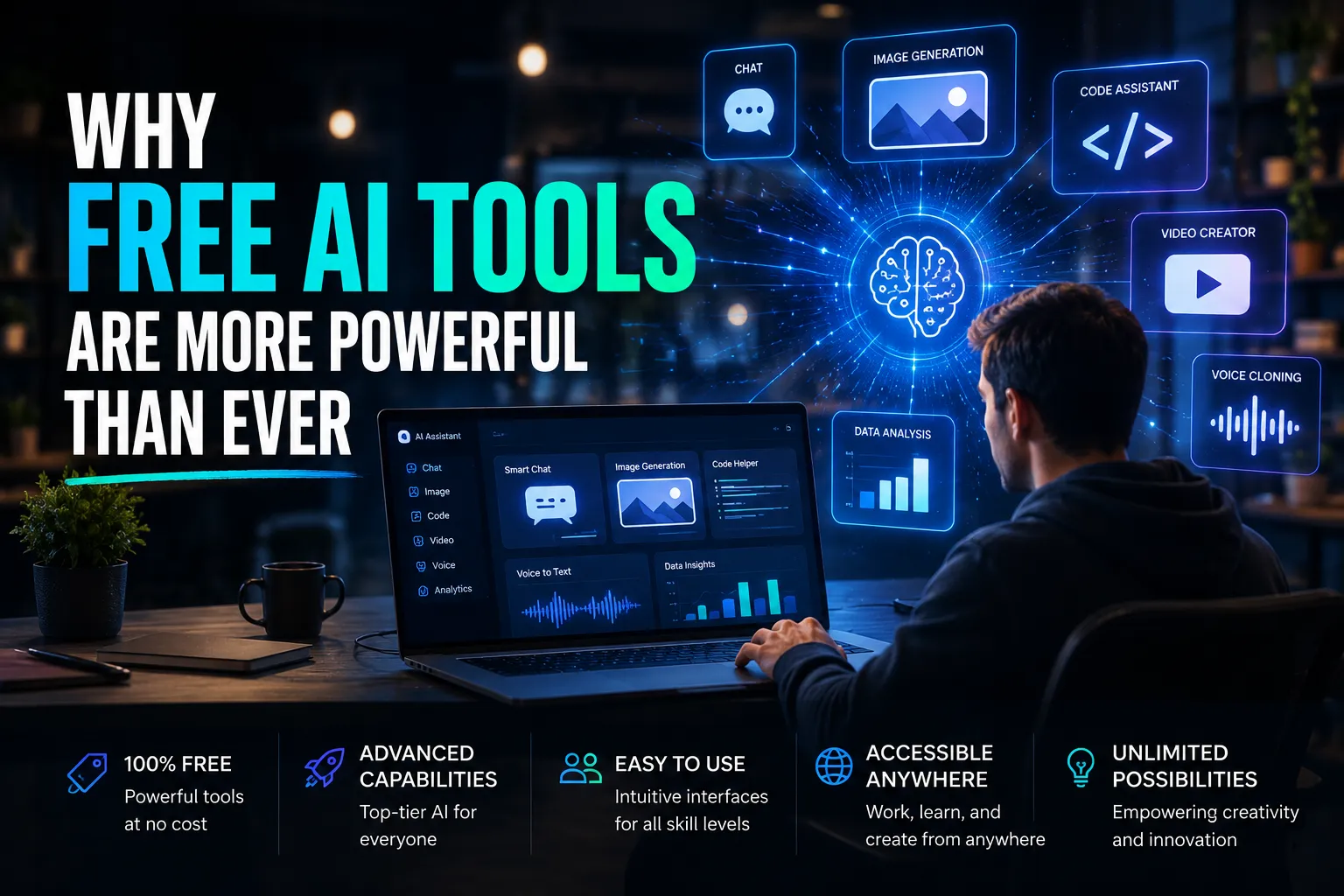
Why Free AI Tools Are More Powerful Than Ever
The biggest trend in 2026 is not simply better AI models—it's better accessibility. Free plans now include capabilities that were once reserved for premium enterprise software. Small businesses can automate repetitive work, students can study more efficiently, marketers can create campaigns faster, and developers can accelerate software production without significant upfront investment.
Another important development is specialization. Instead of relying on one AI platform for everything, professionals increasingly combine multiple free tools into efficient workflows. For example, a content creator might research with Perplexity AI, draft an article using ChatGPT, refine the writing in Claude, generate supporting visuals with Canva AI, and create promotional videos using CapCut AI. This modular approach maximizes quality while keeping costs low.
AI search engines also continue to reshape how information is discovered. Semantic search, conversational queries, and context-aware responses are becoming more important than traditional keyword matching. As a result, users benefit from tools that understand intent rather than simply retrieving documents.
How to Choose the Right Free AI Tool
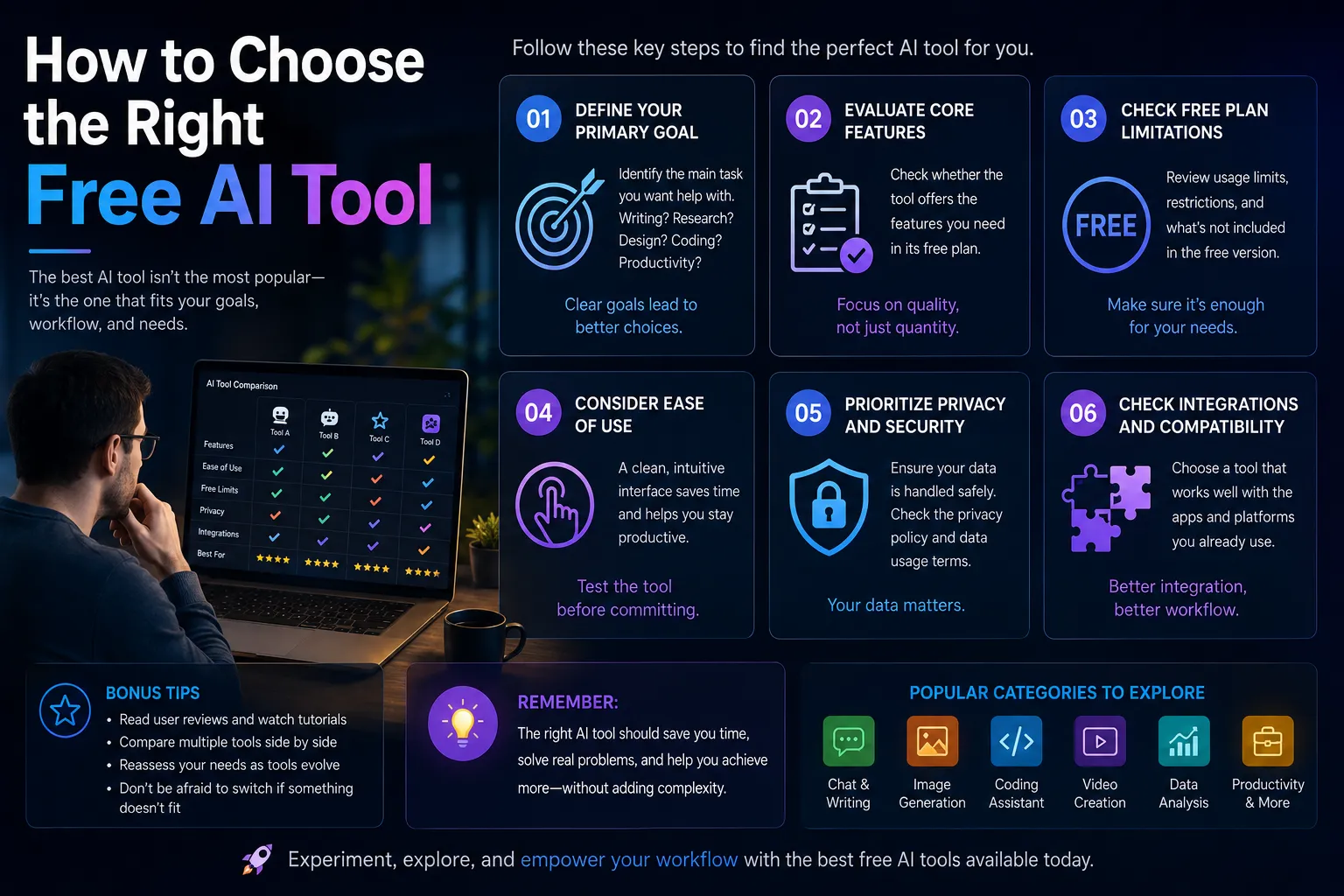
Choosing the best AI platform depends on your goals rather than searching for a single "best" solution. Writers and marketers often benefit most from conversational assistants such as ChatGPT or Claude because of their ability to generate, edit, and organize high-quality content. Researchers may prefer Perplexity AI or NotebookLM for source-backed answers and document analysis, while designers and creators are likely to gain the most value from Canva AI and CapCut AI.
Developers should look for tools that integrate seamlessly into their coding environments, making GitHub Copilot Free an excellent starting point. Business professionals who rely on productivity suites can save time with Google Gemini or Microsoft Copilot thanks to their integration with everyday office applications.
Before committing to any platform, consider the limitations of its free plan, such as daily usage limits, available models, storage capacity, or advanced features reserved for paid subscribers. Testing several tools together often produces a workflow that is both more capable and more cost-effective than relying on a single premium service.
Conclusion
The best free AI tools in August 2026 demonstrate how quickly artificial intelligence has matured. Powerful assistants, research platforms, design software, coding companions, and creative applications are now available without requiring expensive subscriptions.
Rather than replacing human expertise, these tools amplify productivity by automating repetitive work, accelerating research, improving creativity, and helping users produce better results in less time. Whether you're a student, entrepreneur, marketer, software developer, designer, or business owner, there has never been a better time to explore free AI solutions.
The most effective strategy is to build a small toolkit tailored to your workflow. Combining conversational AI, research assistants, design platforms, and specialized creative tools allows you to accomplish more while keeping costs close to zero. As AI technology continues to evolve, mastering these free platforms today will provide a valuable advantage for both personal and professional projects.


















Responses (0)
Sign in to share your thoughts.
Sign in