Best AI Tools in 2026: 10 Tools That Make Everyday Work Easier

Artificial intelligence has become a practical part of everyday work in 2026. From writing and research to graphic design, coding, communication, and productivity, AI tools are helping people complete tasks faster and with less effort.
Whether you are a student, freelancer, content creator, business owner, or professional, the right AI tool can save valuable time and make complicated tasks easier.
Here are 10 of the best AI tools in 2026 that can make everyday work more productive.
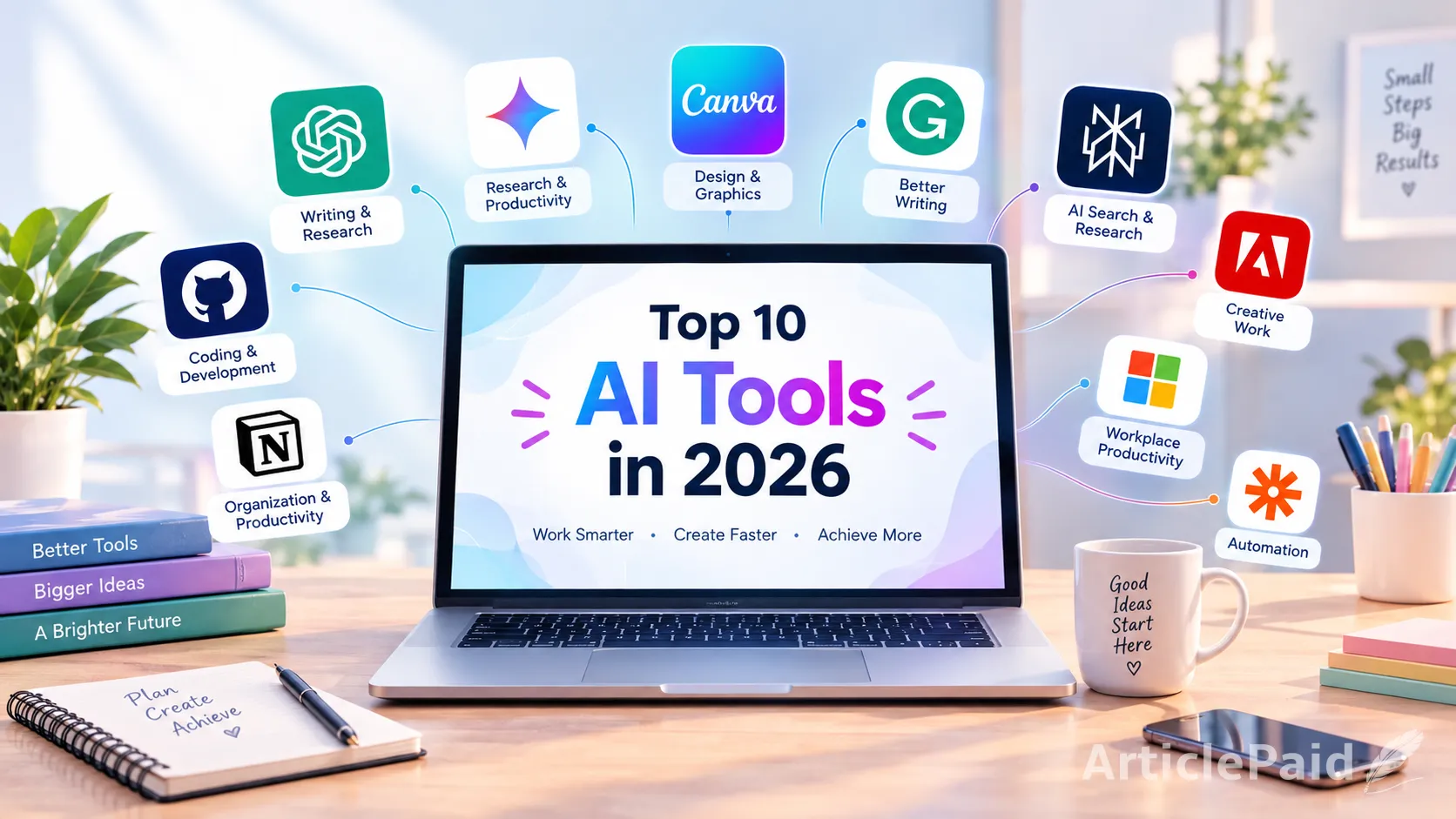
1. ChatGPT for Writing, Research, and Everyday Tasks
ChatGPT is one of the most versatile AI tools available today. It can help users write content, brainstorm ideas, summarize information, explain complicated topics, create plans, and assist with many everyday tasks.
Writers can use it to develop article ideas, improve drafts, create outlines, and refine their writing. Students can use it to understand difficult concepts, while professionals can use it for emails, reports, brainstorming, and organization.
Its flexibility makes it useful for almost any type of knowledge work.
2. Google Gemini for Research and Productivity
Google Gemini is an AI assistant designed to help with research, writing, brainstorming, and productivity. Its connection with Google's ecosystem can make it particularly useful for people who already rely on Google services.
Gemini can help generate ideas, summarize information, answer questions, and assist with different types of content.
For people who regularly use Google products, Gemini can be a convenient addition to their daily workflow.
3. Canva for AI Powered Graphic Design
Canva has become a popular choice for creating social media graphics, presentations, posters, thumbnails, documents, and other visual content.
Its AI features make the design process easier by helping users generate content, create visuals, edit images, and develop designs without requiring advanced graphic design knowledge.
For content creators and small businesses, Canva can significantly reduce the time required to produce professional looking graphics.
4. Grammarly for Better Writing
Grammarly uses AI to help users improve their writing. It can identify grammar issues, improve clarity, adjust tone, and suggest better ways to communicate an idea.
It is particularly useful for emails, articles, assignments, professional documents, and online communication.
Instead of only checking spelling mistakes, modern AI writing assistants can help make written communication clearer and more effective.
5. Perplexity for AI Powered Research
Perplexity is designed around AI assisted search and research. Instead of simply providing a list of search results, it can generate conversational answers and provide sources for users to explore.
This can be useful when researching a topic, comparing ideas, finding information, or getting an overview of a subject.
However, important information should still be verified using reliable primary sources, especially when accuracy matters.
6. GitHub Copilot for Coding
For developers, GitHub Copilot can make programming more efficient by providing AI assistance while writing code.
It can suggest code, help explain programming concepts, assist with debugging, and speed up repetitive development tasks.
AI coding tools do not eliminate the need for programming knowledge. Developers still need to review generated code, understand what it does, and test it properly before using it in real projects.
7. Notion AI for Organization and Productivity
Notion is widely used for notes, project management, documentation, and organization. Its AI capabilities can make these workflows even more efficient.
Users can use AI features to summarize information, organize notes, brainstorm ideas, and work with written content.
For freelancers, students, teams, and business owners who manage multiple projects, combining organization with AI assistance can make daily work easier.
8. Adobe Firefly for Creative Work
Adobe Firefly provides AI powered features for creative professionals and content creators. It can assist with generating and editing visual content while fitting into Adobe's broader creative ecosystem.
It can be useful for designers who want to experiment with concepts, create visual variations, or speed up parts of their creative workflow.
AI does not replace creative thinking. Instead, it can give designers more ways to experiment and develop ideas.
9. Microsoft Copilot for Workplace Productivity
Microsoft Copilot brings AI assistance into Microsoft's productivity ecosystem. Depending on the version and available features, it can assist with writing, summarizing, analyzing information, and completing workplace tasks.
For people who already use Microsoft applications regularly, having AI assistance within familiar workflows can reduce the need to switch between different tools.
This can be especially useful for professionals working with documents, spreadsheets, presentations, and communication.
10. Zapier for AI Automation
Zapier focuses on connecting different applications and automating repetitive workflows. Its AI capabilities can help users build smarter automations without manually completing every step.
For example, businesses can automate parts of their lead management, content workflows, notifications, and data organization.
Automation becomes especially valuable when a task is repeated frequently. Instead of spending time on the same process every day, users can create a workflow that handles parts of it automatically.
How to Choose the Right AI Tool
The best AI tool depends on what you actually need to accomplish. A writer may benefit more from ChatGPT and Grammarly, while a designer may prefer Canva and Adobe Firefly.
Developers can benefit from AI coding assistants, while businesses may get more value from automation platforms.
Before choosing a tool, consider its features, pricing, ease of use, privacy policies, integrations, and limitations. A tool with many features is not necessarily the best option if you only need one or two specific capabilities.
Are AI Tools Worth Using in 2026?
For many people, AI tools can provide significant benefits when they are used correctly. They can reduce repetitive work, generate ideas, speed up research, and help users focus on tasks that require human judgment.
However, AI generated information can sometimes contain mistakes. Users should review important outputs instead of automatically trusting everything an AI system produces.
The most effective approach is to treat AI as an assistant rather than a complete replacement for human decision making.
The Future of Everyday Work With AI
AI is becoming increasingly integrated into everyday digital workflows. Instead of using one tool for everything, people can combine different AI applications based on their specific needs.
A writer might use one tool for research, another for editing, and another for creating visuals. A developer might combine AI coding assistance with automation and project management tools.
The goal is not simply to use as many AI tools as possible. The real advantage comes from finding the tools that solve genuine problems and using them efficiently.
Final Thoughts
The best AI tools in 2026 are making writing, research, design, coding, organization, and automation more accessible than ever.
Tools such as ChatGPT, Gemini, Canva, Grammarly, Perplexity, GitHub Copilot, Notion AI, Adobe Firefly, Microsoft Copilot, and Zapier can each help with different aspects of everyday work.
As AI continues to evolve, learning how to use these tools effectively can become just as important as knowing which tools are available. The people who combine AI assistance with creativity, critical thinking, and human judgment are likely to get the most value from this technology.










Responses (0)